AWS ACE Integration
This integration allows you to Create, Update and properly Tag opportunities in the ACE system.
Login > Click on Well-Architected tab and find the ACE Opportunity button.

Integration Details
An IAM role is required to manage the ACE portal from ASecureCloud and you can deploy this role via CloudFormation or Terraform.
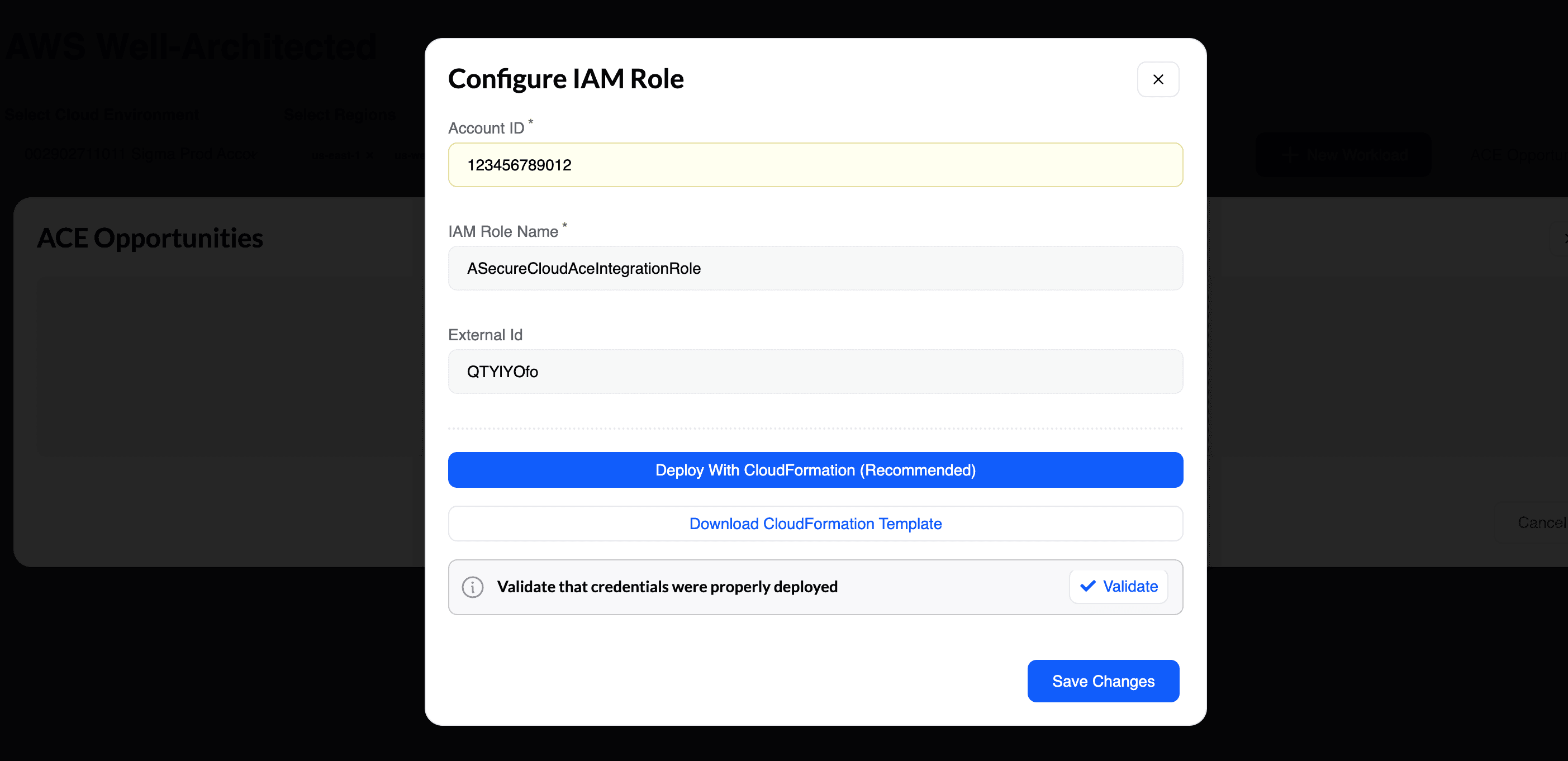
Permissions required
The following permissions are implemented by the templates:
Click to expand CloudFormation Template
{
    "AWSTemplateFormatVersion": "2010-09-09",
    "Description": "",
    "Resources": {
        "IamRole": {
            "Type": "AWS::IAM::Role",
            "Properties": {
                "RoleName": "ASecureCloudAceIntegrationRole",
                "Description": "IAM Role to allow acccess for to Partner Central",
                "AssumeRolePolicyDocument": {
                    "Version": "2012-10-17",
                    "Statement": [
                        {
                            "Effect": "Allow",
                            "Principal": {
                                "AWS": "ASecureCloud-AccountID"
                            },
                            "Action": [
                                "sts:AssumeRole"
                            ],
                            "Condition": {
                                "StringEquals": {
                                    "sts:ExternalId": "RANDOM-ID"
                                }
                            }
                        }
                    ]
                },
                "Policies": [
                    {
                        "PolicyName": "PartnerCentralAccess",
                        "PolicyDocument": {
                            "Version": "2012-10-17",
                            "Statement": [
                                {
                                    "Effect": "Allow",
                                    "Action": [
                                        "partnercentral:CreateOpportunity",
                                        "partnercentral:UpdateOpportunity",
                                        "partnercentral:ListOpportunities",
                                        "partnercentral:GetOpportunity",
                                        "partnercentral:GetAwsOpportunitySummary",
                                        "partnercentral:ListSolutions",
                                        "partnercentral:AssociateOpportunity",
                                        "partnercentral:DisassociateOpportunity",
                                        "partnercentral:AssignOpportunity",
                                        "partnercentral:SubmitOpportunity",
                                        "partnercentral:AcceptEngagementInvitation",
                                        "partnercentral:CreateEngagementInvitation",
                                        "partnercentral:RejectEngagementInvitation",
                                        "partnercentral:GetEngagementInvitation",
                                        "partnercentral:ListEngagementInvitations",
                                        "partnercentral:StartEngagementFromOpportunityTask",
                                        "partnercentral:StartEngagementByAcceptingInvitationTask",
                                        "partnercentral:CreateResourceSnapshotJob",
                                        "partnercentral:StartResourceSnapshotJob",
                                        "partnercentral:TagResource",
                                        "partnercentral:UntagResource",
                                        "partnercentral:ListTagsForResource",
                                        "partnercentral:CreateEngagement"
                                    ],
                                    "Resource": "*"
                                },
                                {
                                    "Effect": "Allow",
                                    "Action": [
                                        "aws-marketplace:ListEntities",
                                        "aws-marketplace:DescribeEntity"
                                    ],
                                    "Resource": "*"
                                },
                                {
                                    "Effect": "Allow",
                                    "Action": [
                                        "aws-marketplace:SearchAgreements",
                                        "aws-marketplace:DescribeAgreement"
                                    ],
                                    "Resource": "*",
                                    "Condition": {
                                        "StringEquals": {
                                            "aws-marketplace:PartyType": "Proposer"
                                        }
                                    }
                                }
                            ]
                        }
                    }
                ]
            }
        }
    },
    "Parameters": {},
    "Metadata": {},
    "Conditions": {}
}
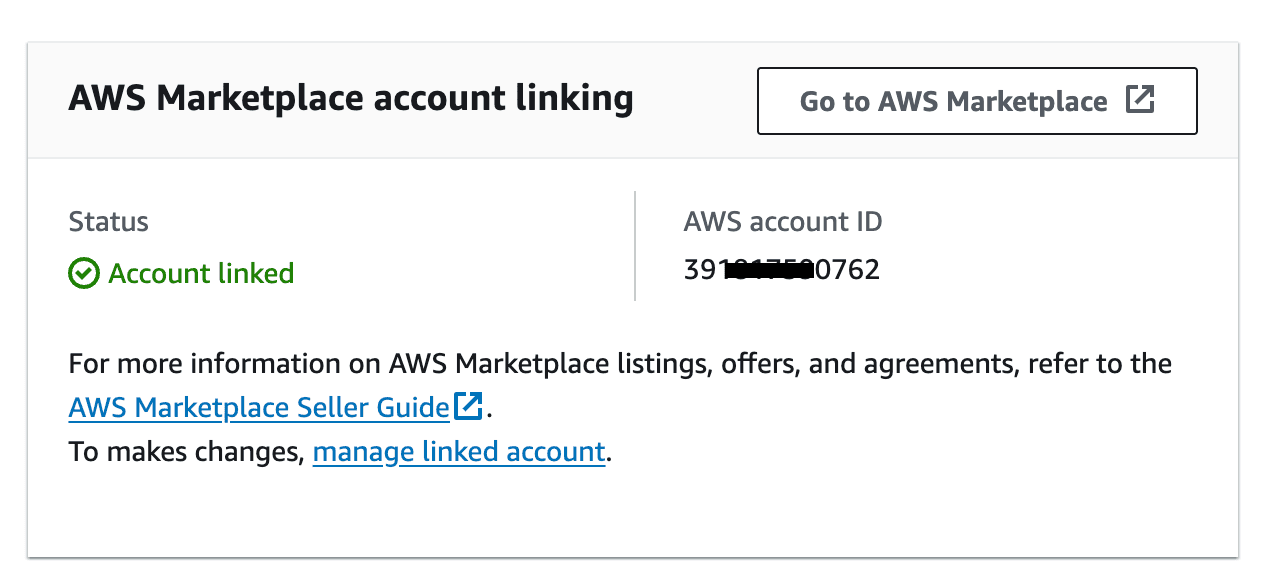
Deploy to APN-Linked AWS account
The role will need to be deployed on your APN Portal linked AWS account. To find this account:
Login to your AWS APN portal and select Home as seen below
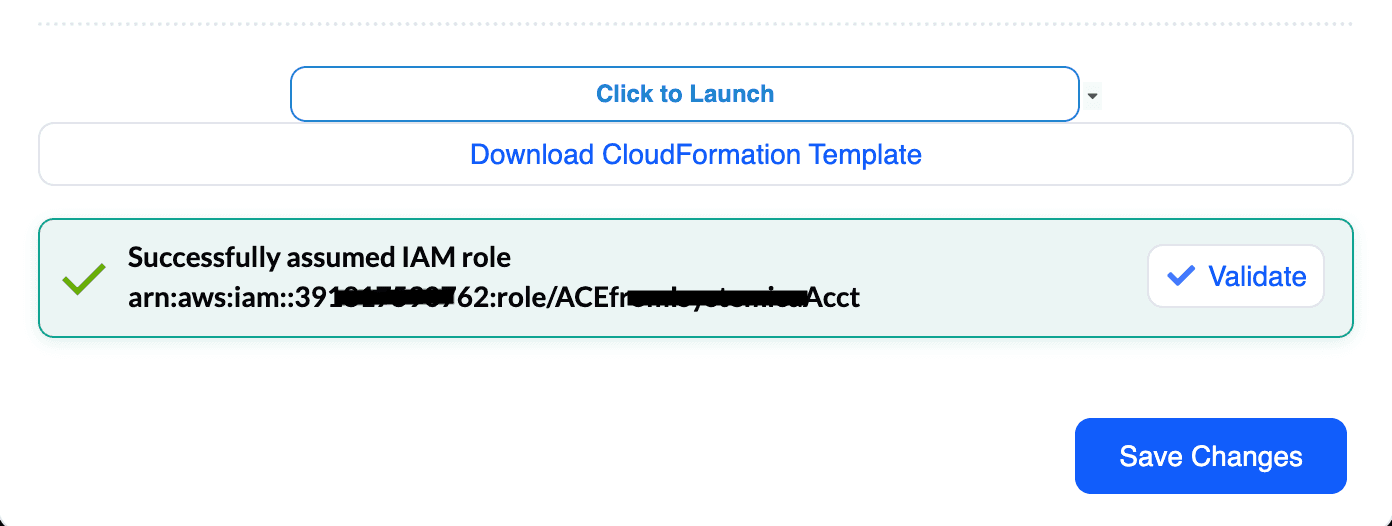
Once the CloudFormation deployment is completed, go back to ASecureCloud and click on Validate.
Opportunity operations
Create
- Click on the ACE Opportunity button to create a new opportunity
- Fill in the required fields:
- Opportunity Name
- Customer Name
- Opportunity Type
- Expected Close Date
- Deal Size
- Description
Update
- Click on the ACE Opportunity button
- Select the existing opportunity from the dropdown
- Update the required fields
- Click Save to update the opportunity
Proper Program Tagging
- Click on the ACE Opportunity button
- Select the existing opportunity from the dropdown
- Add or update tags:
- Well-Architected Lens
- Assessment Type
- Customer Segment
- Region
- Click Save to update the tags
Other Tags
The ACE integration automatically syncs:
- Assessment results
- Remediation status
- Customer feedback
- Follow-up actions